
Closed tickets that suddenly reopen. State changes with no incoming message. Follow-up notifications are firing for no apparent reason. If you've seen this in Znuny and couldn't find the cause, the culprit might not be a misconfiguration or a PostMaster Filter rule — it could be an emoji.
The Problem: Outlook Reactions Send Real Emails
Modern versions of Microsoft Outlook — both the new Outlook for Windows and Outlook on the web — allow users to react to emails with emoji reactions: 👍 ❤️ 😂 😮 😢 and more. It's a feature borrowed from Teams and Slack, useful for quick acknowledgements in casual communication.
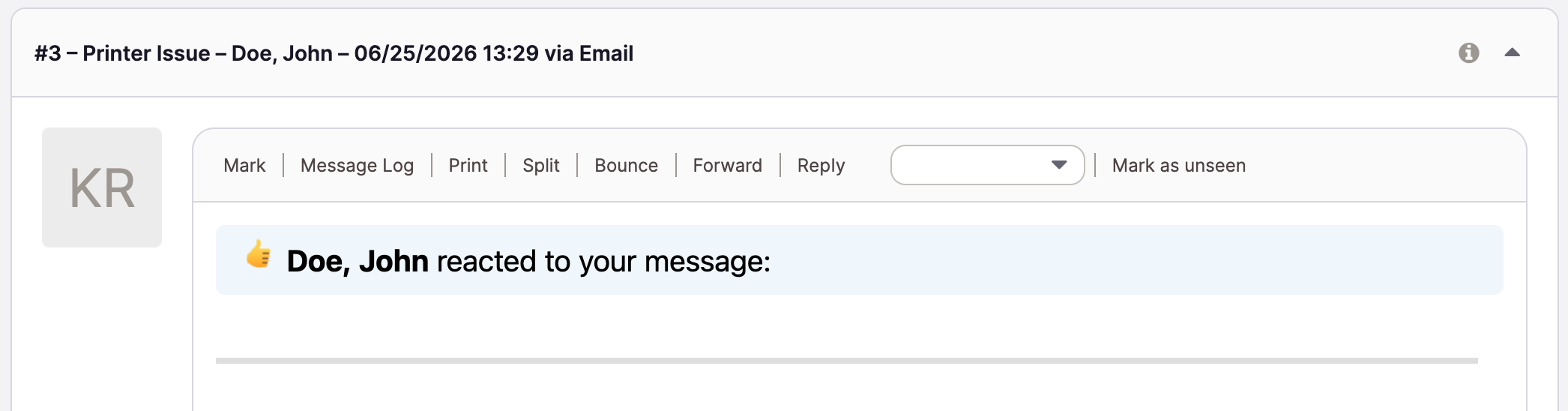
The problem is what happens under the hood. When a customer reacts to a ticket notification email, Outlook sends an actual reply email back to the sender — in this case, to Znuny's mail intake address. That reply contains the reaction as part of its content, and from Znuny's perspective it looks like any other incoming message. Depending on your workflow configuration, this can:
- Reopen a closed or resolved ticket
- Change the ticket state (e.g., back to "open" or "pending reminder")
- Trigger follow-up notifications to agents
- Create noise in reporting (response time metrics, SLA calculations)
Carefully tuned auto-close rules and state transitions can be silently undone at scale — just because a customer clicked 👍 on a closure notification.
The Fix: One System Configuration Entry
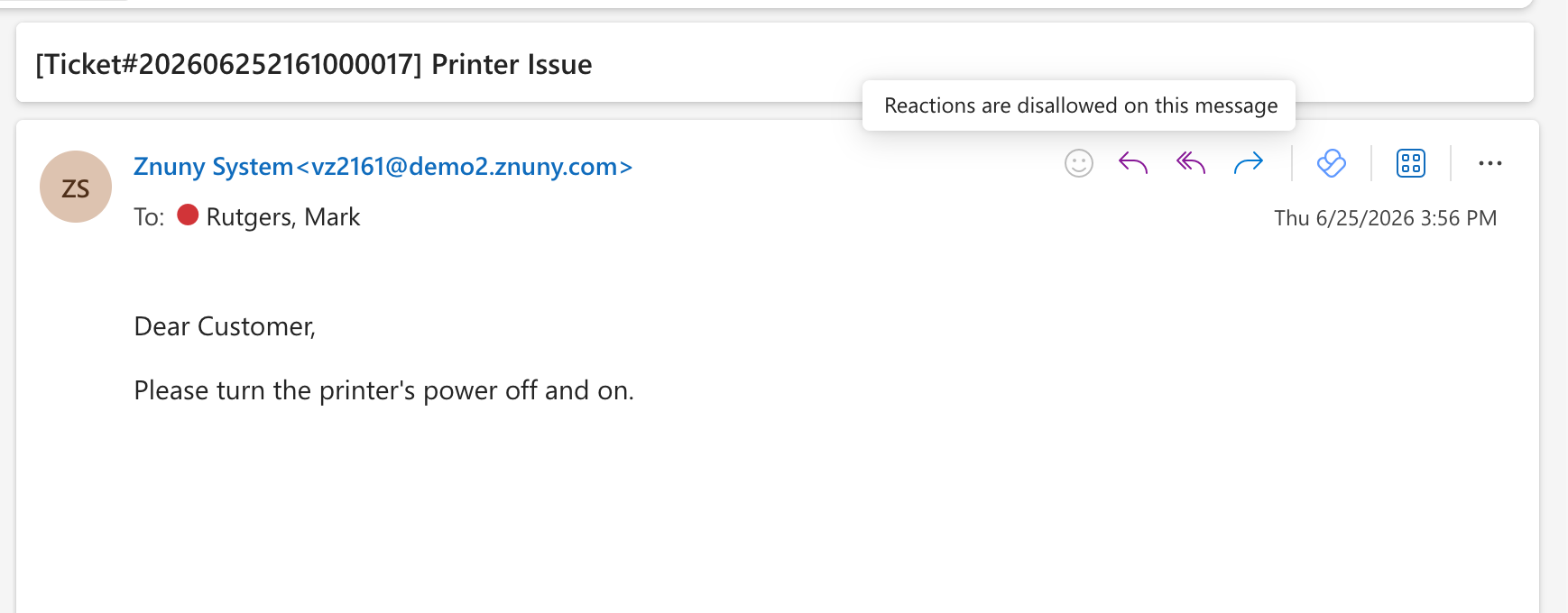
Microsoft provides a way to suppress reaction emails at the sender level. By including the email header X-MS-Reactions: disallow in outgoing messages, you signal to Outlook that reactions should not be sent as replies for that email.
In Znuny, you can set this globally via the System Configuration key:
Sendmail::DefaultHeaderAdd a new entry with:
- Key:
X-MS-Reactions - Value:
disallow
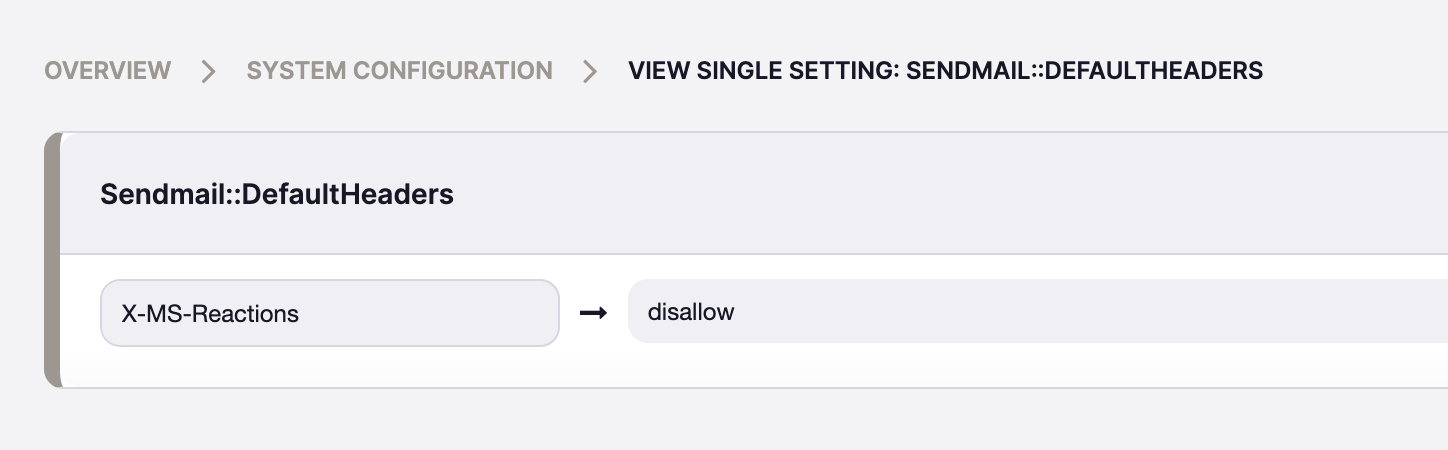
This header will then be included in every outgoing email Znuny sends — ticket notifications, auto-replies, agent responses — and Outlook will suppress the reaction reply accordingly.
No code changes, no custom add-on, no postprocessing filter. One configuration entry, and the thumbs-ups stay where they belong: in Outlook, not in your ticket queue.
Worth Checking
Emoji reactions feel harmless. But in a ticketing system where state transitions, SLA timers, and agent workload all depend on what lands in the inbox, a stray reaction reply is anything but harmless.
If your team uses Znuny with customers or end users on Microsoft 365, it's worth checking whether this header is already in place. If it isn't, now is a good time to add it.
Further reading: Microsoft's documentation on managing Outlook reactions:
https://learn.microsoft.com/en-us/microsoft-365-apps/outlook/manage/manage-outlook-reactions
- Blogpost